
WordPress.com vs WordPress.org – What’s the Difference? (Complete Guide)

If you’re new to WordPress, you’ve probably run into a confusing problem.
You search Google for “WordPress.” Two websites show up. Both have similar names. Both claim to help you build websites.
So which one should you actually use? Here’s the thing: this confusion stops thousands of people from launching their websites every single day. They pick one, hit unexpected limits, get frustrated, and give up — all because no one clearly explained the difference.
The self-hosted version is called WordPress.org
The hosted version is called WordPress.com, you may see those terms being used interchangably in this tutorial.
If you want full control and room to grow → Choose the self-hosted version
If you want simplicity and don’t mind limits → Choose the hosted version
Let me clear this up for good.
By the end of this guide, you’ll know exactly:
-
What each version actually is
-
The 7 key differences between them
-
Which one fits your specific situation
-
How to avoid the most common beginner mistakes
Let’s end the confusion once and for all.
This guide is part of our complete WordPress tutorial for beginners and experts, where we walk you step-by-step through everything from setup to launching your website.
WordPress.com vs WordPress.org: What’s the Real Difference?
Before we get into details, here’s the easiest way to think about it:
Think of the first option like owning your own home. You buy the land, build the house, and own everything. You can paint walls any color, add rooms, or rent it out. But you’re responsible for maintenance and repairs.
Think of the second option like renting an apartment. You move in quickly, everything works, and the landlord handles maintenance. But you can’t knock down walls or make major changes without permission.
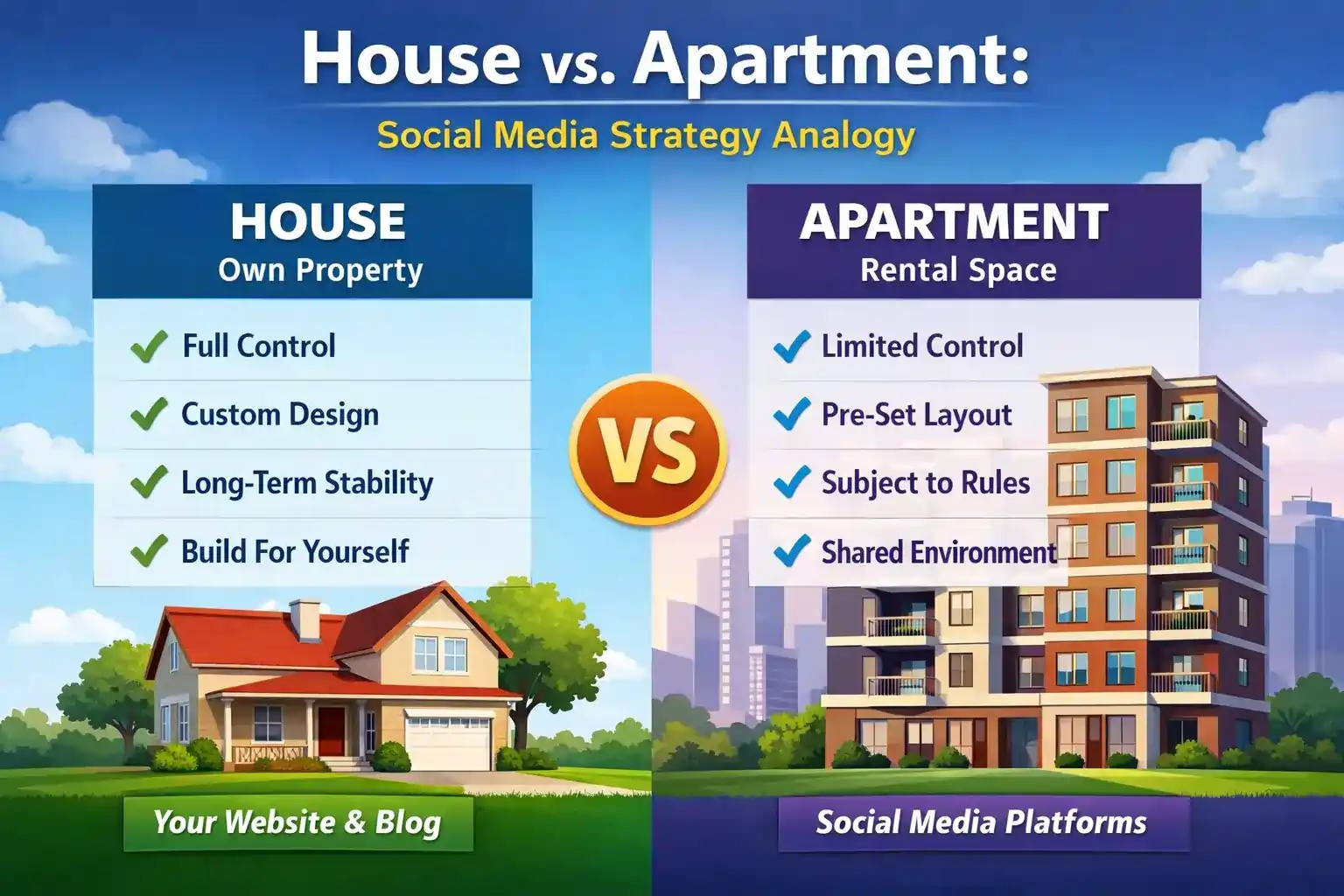
Both give you a place to live. But your experience, control, and future possibilities are completely different.
Now let’s understand exactly what each option offers.
Option #1: The WordPress.org
This is the original WordPress software. It’s an open-source project maintained by thousands of developers worldwide. When you hear that “WordPress powers over 43% of all websites,” this is what they’re talking about.
What makes it different:
The software itself is completely free — You download and install it anywhere
You need your own hosting — You pay a company to store your website files
You need your own domain — You purchase your website address separately
You have full control — Every file, every setting, everything belongs to you
Unlimited possibilities — Add any design, any feature, any functionality
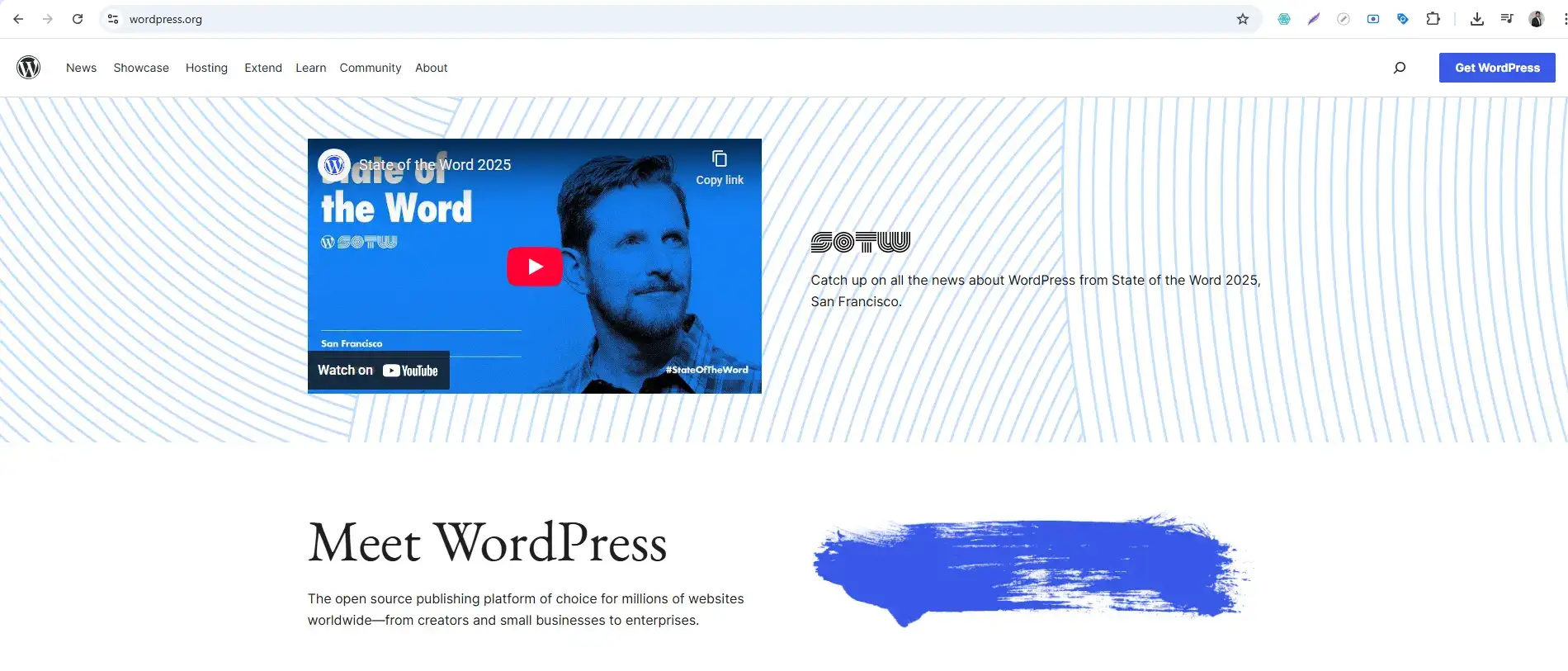
This version is what professionals use to build:
-
Business websites
-
Online stores
-
Membership sites
-
Online courses
-
Anything that needs to grow and scale
Option #2: The WordPress.com
This is a commercial service run by a company called Automattic. They take the WordPress software, install it on their servers, and let you use it — with some limits.
What makes it different:
A free plan is available — Start without paying anything
Hosting is included — They handle all the technical stuff
Domain included (on paid plans) — Your website address comes with the package
Automatic updates — They keep everything secure for you
Limited control — You can’t add everything you might want
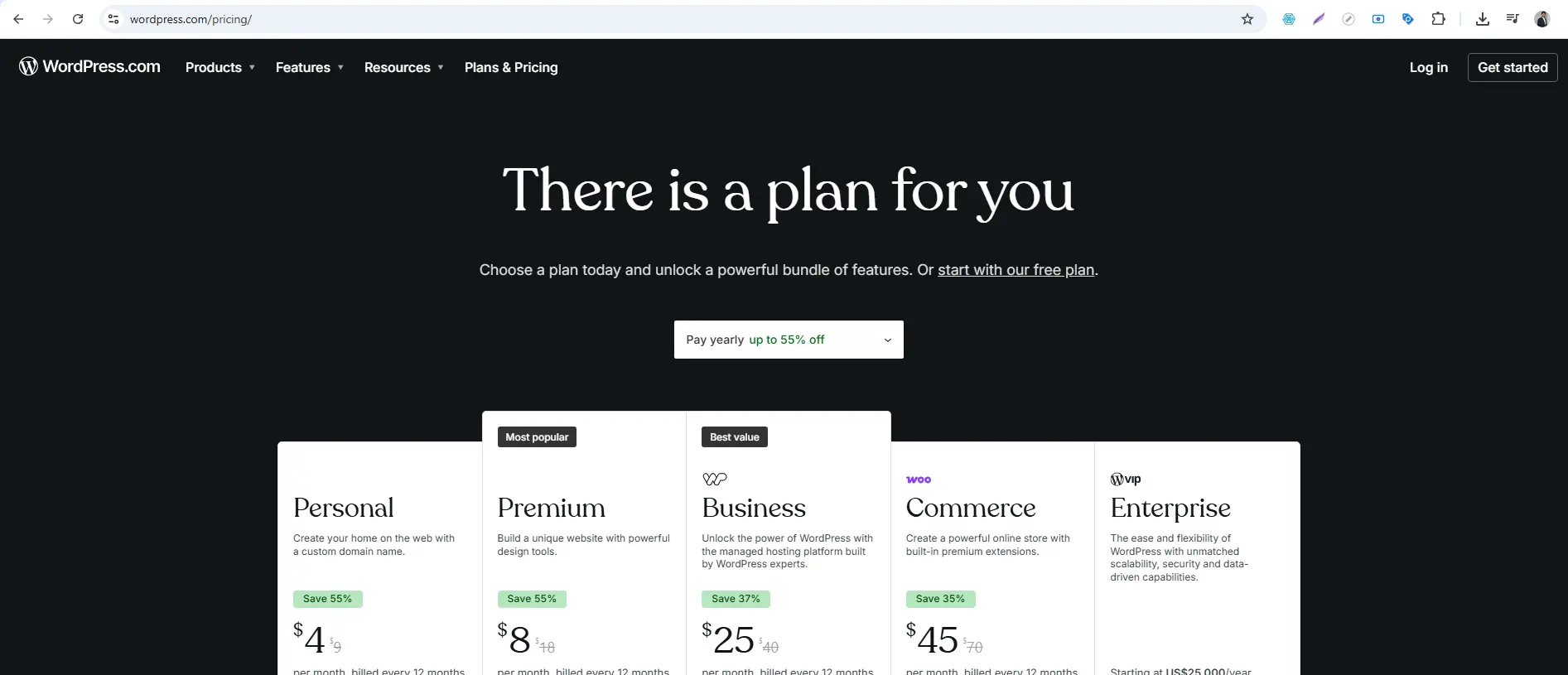
This version works well for:
-
Personal blogs
-
Hobby websites
-
Testing WordPress for the first time
-
People who want zero technical hassle
7 Critical Differences (The Complete Comparison)
Now let’s compare both options across the factors that actually matter to you.
Difference #1: Cost — What You Actually Pay
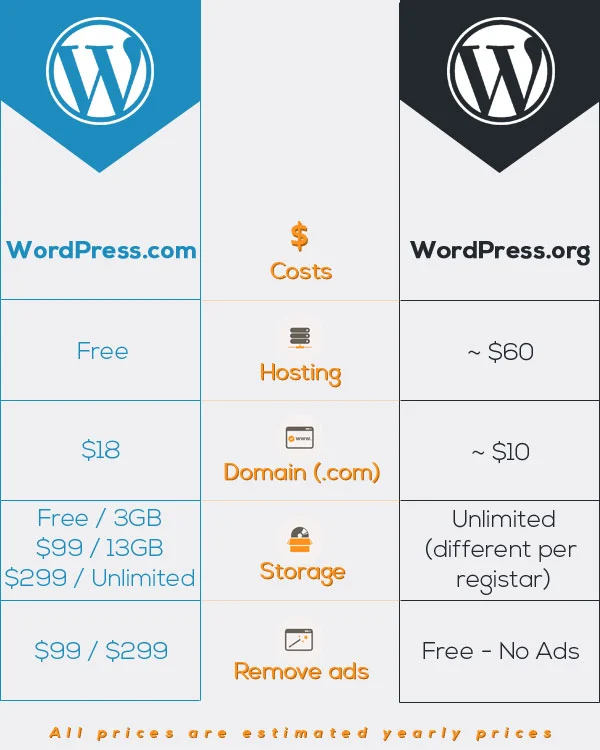
This trips up most beginners. The hosted version offers a “free” plan, so many assume it’s cheaper. But let’s look at real costs.
WordPress.org Costs:
| Item | Cost | Notes |
|---|---|---|
| WordPress software | $0 | Forever free |
| Domain name | $10-15/year | Your website address |
| Web hosting | $3-10/month | Where your site lives |
| Premium designs | $0-100 | Optional, many free |
| Premium features | $0-200/year | Optional based on needs |
Total first year: Around $50-150 depending on choices
WordPress.com Costs:
| Plan | Monthly Price (billed yearly) | Features |
|---|---|---|
| Free | $0 | Subdomain (yourname.wordpress.com), limited storage, ads shown |
| Personal | $4/month | Custom domain, email support, 6GB storage |
| Premium | $8/month | More storage, monetization options, premium designs |
| Business | $25/month | 200GB storage, plugin support, SEO tools |
| Commerce | $45/month | Full eCommerce features |
The catch: On the free plan, your site address includes their brand name. To get a professional-looking address, you need at least the Personal plan.
Winner for cost: The self-hosted version costs more upfront but gives you more value long-term.
Difference #2: Control and Ownership
This is the biggest difference between the two.
Self-Hosted Control:
With the self-hosted version, you own everything:
-
All your files live on your hosting account
-
Your database stores all your content
-
You can move your site anywhere, anytime
-
You can modify any file, any code
-
You can add anything you want
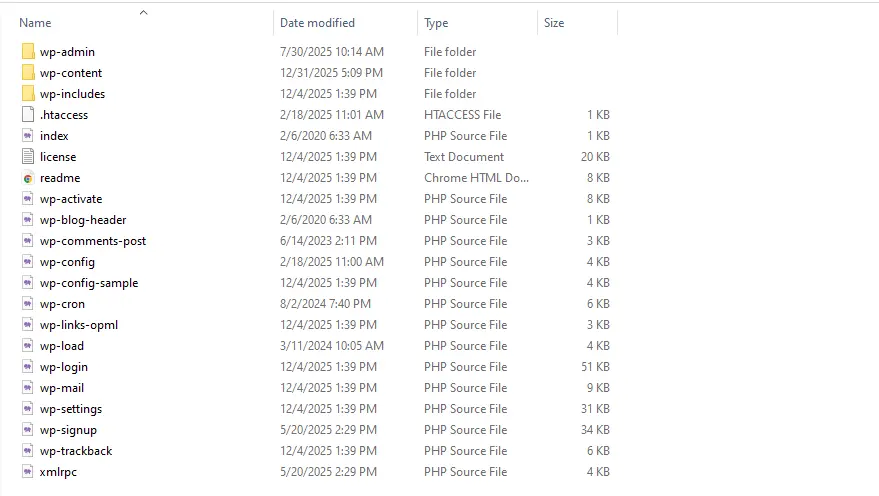
If you decide to switch hosting companies, you can download your entire site and move it elsewhere. Your content is truly yours.
Hosted Control:
With the hosted version, the company owns the platform:
-
Your files live on their servers
-
You can’t access server files
-
Moving your site is more difficult
-
You can only use approved designs and features
-
They can suspend your site if you violate terms
Winner for control: WordPress.org, hands down. You own everything.
Difference #3: Designs — What Your Site Looks Like
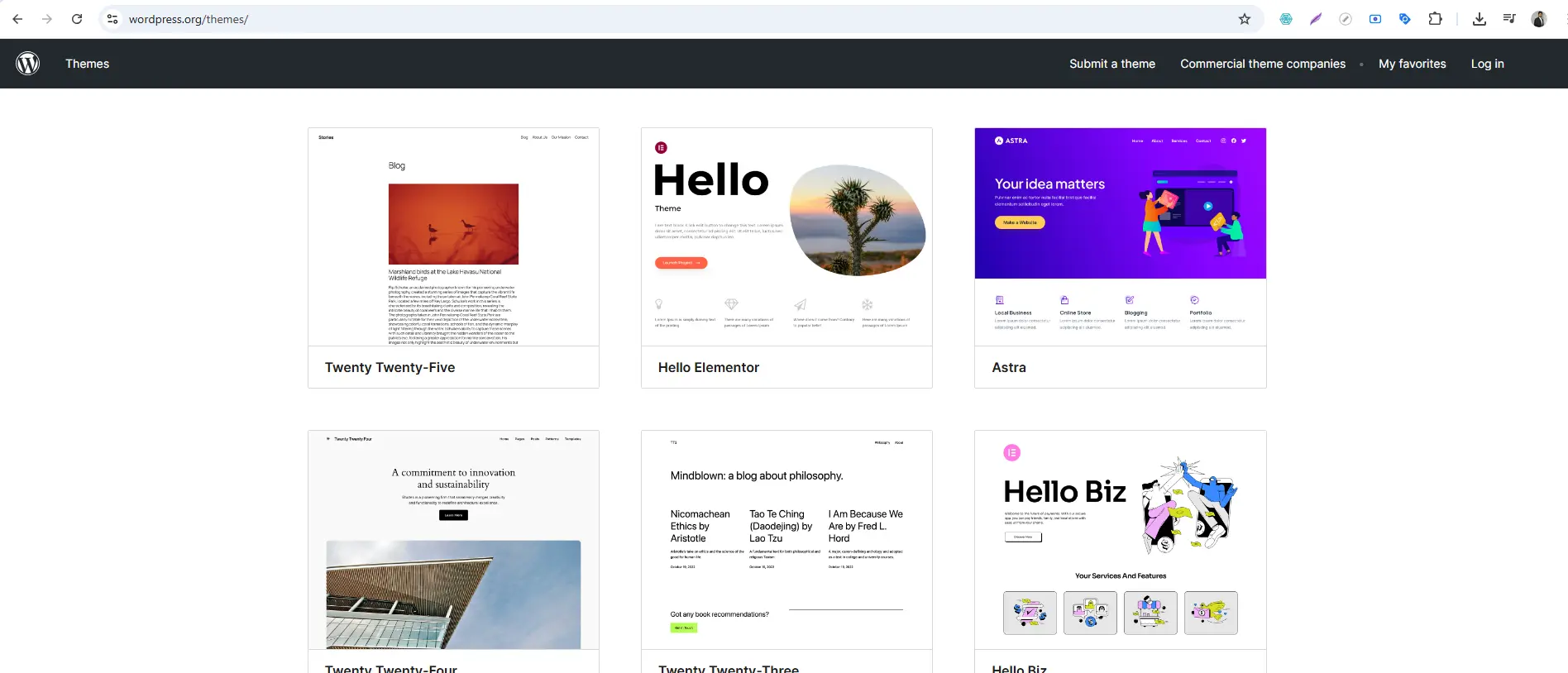
Self-Hosted Design Options:
-
Unlimited choices — Access to over 10,000+ free designs
-
Premium designs — Thousands more from designers worldwide
-
Custom designs — You can edit design files directly
-
Upload any design — If you have the file, you can install it
Hosted Design Options:
-
Limited selection — Only designs approved by the platform
-
No custom uploads — Can’t use third-party designs (except on highest plans)
-
Premium designs — Only available on higher-tier plans
-
Custom CSS — Only available on Premium plans and above
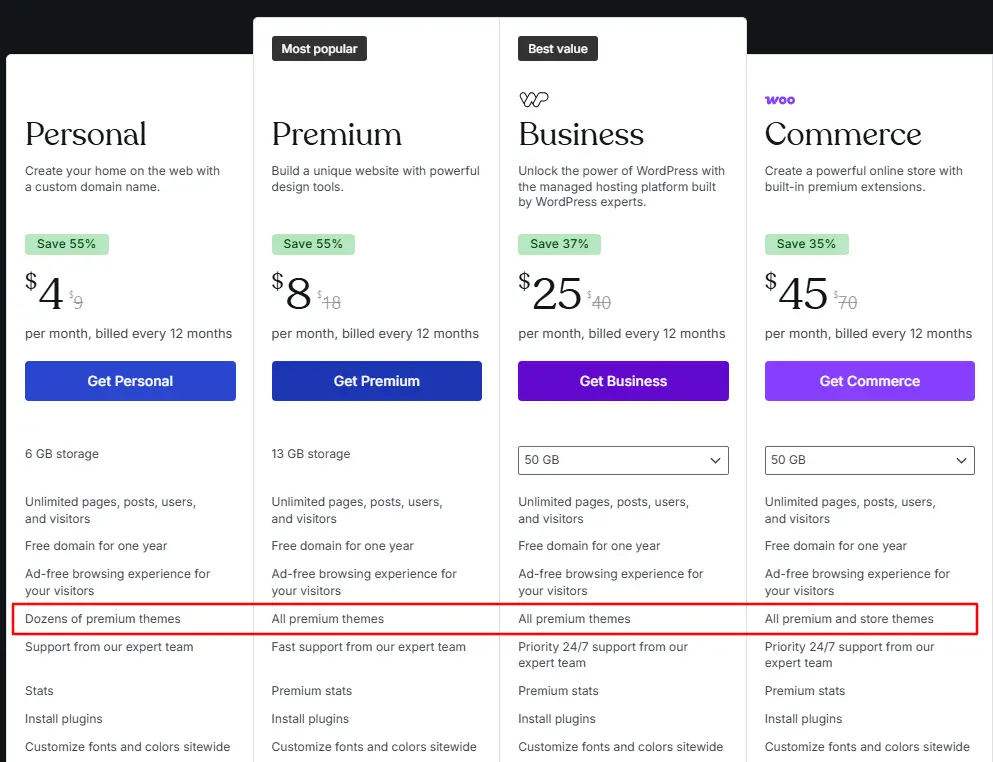
The limitation: On lower plans, you’re stuck with their design selection. If you find a beautiful design somewhere else, you can’t use it.
Winner for designs: Self-hosted gives you complete freedom.
Difference #4: Features — Adding Functionality
Features (called “plugins”) are what make WordPress powerful. They add contact forms, SEO tools, shopping carts, and more.
Self-Hosted Feature Options:
-
60,000+ free features available instantly
-
Thousands of premium features from developers worldwide
-
Install any feature with one click
-
Custom features — You can even build your own
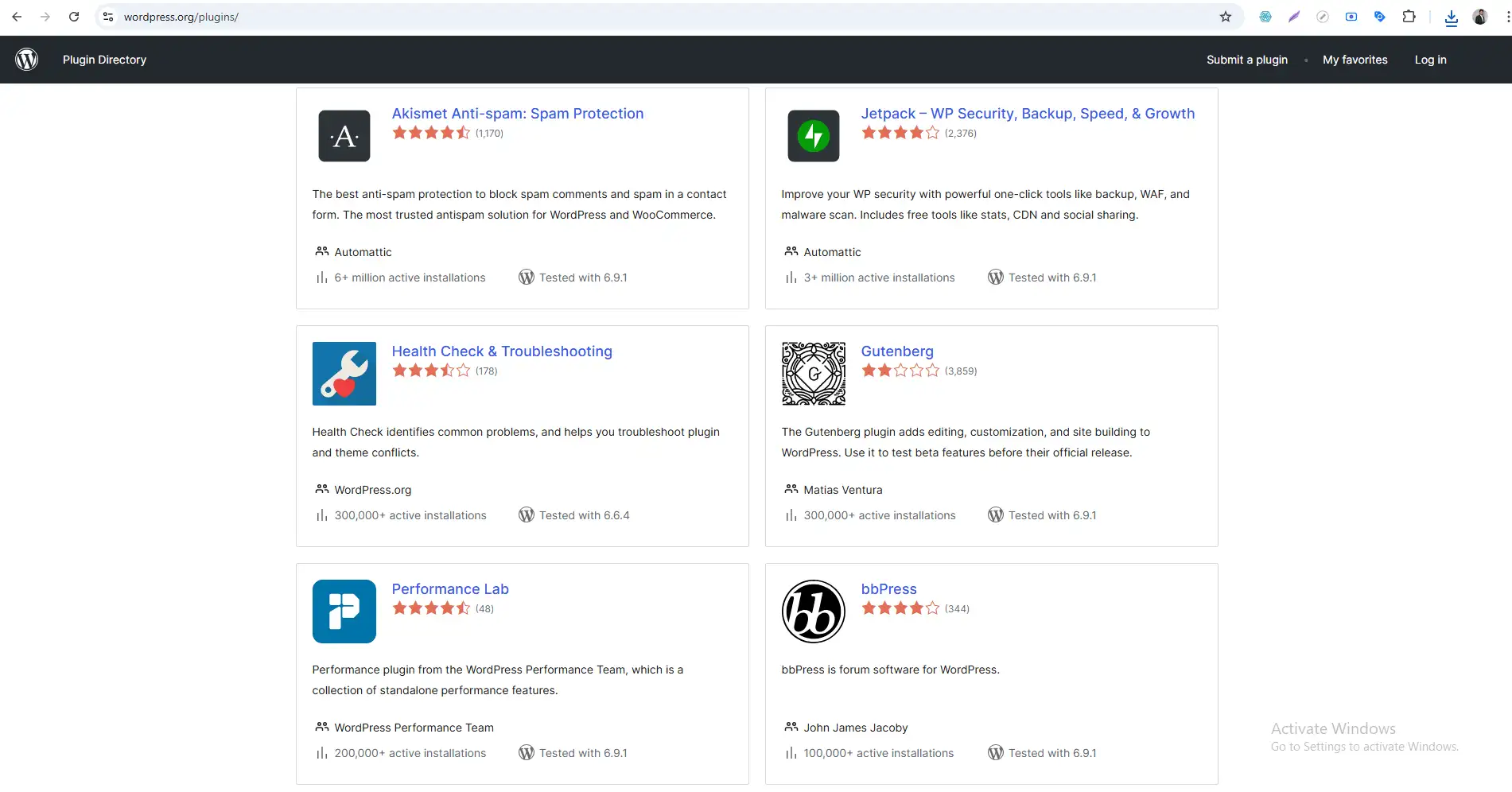
Want to add a contact form? Install one in 30 seconds. Want to sell products? Install an eCommerce feature. Want to improve SEO? Install an SEO tool. All with one click.
Hosted Feature Options:
-
No features on free/Personal plans — You get what they give you
-
Limited features on Premium — Only a few dozen approved options
-
Full features only on Business/Commerce — At $25-45/month
Note: There are limitations on hosted platform when it comes to plugins.
Real-world example: Let’s say you want to add an affiliate link tool. On self-hosted, you install it in 30 seconds. On the hosted version, you need their most expensive plan.
Winner for features: WordPress.org. No competition.
Difference #5: Making Money
If you ever want to make money from your website, this difference matters enormously.
Self-Hosted Money-Making Options:
With the WordPress.org, you can make money any way you want:
-
Run ads from any company
-
Sell products with free eCommerce tools
-
Promote affiliate links with no restrictions
-
Create membership sites
-
Sell online courses
-
Accept donations
-
Anything else you can imagine
No one restricts you. No one takes a cut.
Hosted Money-Making Options:
With the hosted version, monetization is heavily restricted:
-
Free plan — No monetization allowed, they show their own ads
-
Personal plan — Still no monetization
-
Premium plan — Can use their ad program and simple payment buttons
-
Business/Commerce — Full monetization, but at $25-45/month
The catch: Even on paid plans, they take a cut of your ad revenue if you use their ad program.
Winner for making money: Self-hosted, by a landslide.
Difference #6: Maintenance and Technical Work
This is where the hosted version has advantages.
Self-Hosted Maintenance:
You’re responsible for:
-
Updates — Core software, designs, features
-
Backups — Regular copies of your site
-
Security — Protecting against hackers
-
Performance — Making sure your site loads fast
-
Uptime — Monitoring if your site is down
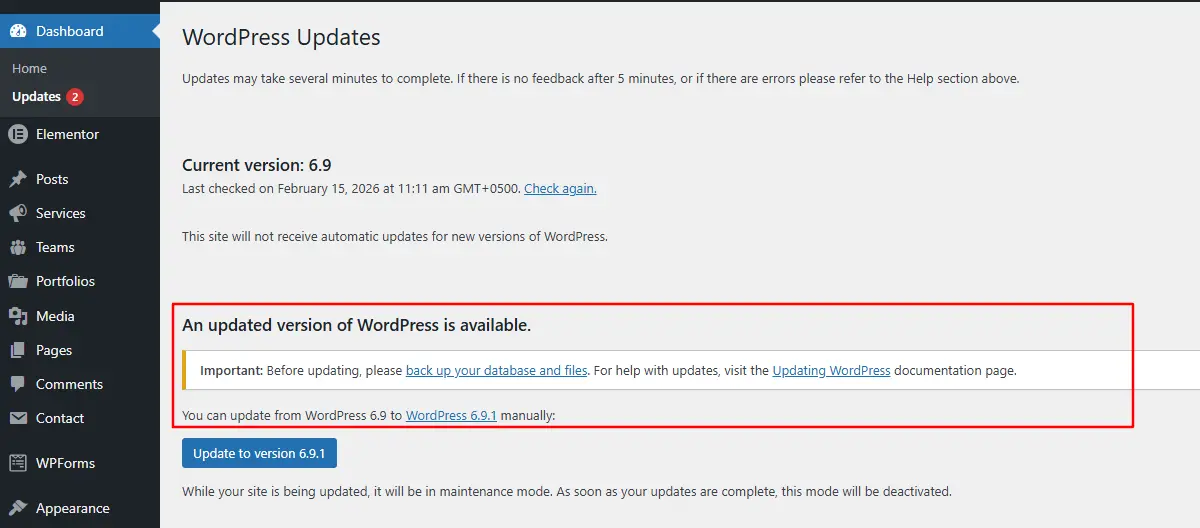
This sounds scary, but it’s manageable. Most hosting companies offer automatic backups and updates. Plus, there are tools that handle everything.
Hosted Maintenance:
They handle everything:
-
Automatic updates — Always running latest version
-
Automatic backups — They backup your site
-
Security — Their team handles threats
-
Performance — Their infrastructure is optimized
-
Uptime — They monitor 24/7
Winner for maintenance: The hosted version is easier for non-technical users who don’t want to handle updates.
Difference #7: Help When You Need It
Self-Hosted Support:
-
Community forums — Free help from volunteers
-
Your hosting company — They help with server issues
-
Online communities — Facebook groups, Reddit, specialized forums
-
Paid help — Hire developers for complex issues
No official phone or email support. But the community is massive and incredibly helpful.
Hosted Support:
-
Email support — On paid plans
-
Live chat — On higher-tier plans
-
Knowledge base — Extensive documentation
-
Community forums — For free users
Official support from company employees.
Winner for support: Hosted version for official support, self-hosted for community depth.
Side-by-Side Comparison
Here’s everything summarized:
| Feature | WordPress.org | WordPress.com (Free) | WordPress.com (Paid) |
|---|---|---|---|
| Software Cost | Free | Free | Starting at $4/month |
| Domain Name | You buy separately | Subdomain included | Custom domain included |
| Hosting | You buy separately | Included | Included |
| Designs | 10,000+ free + premium | Limited selection | More on higher plans |
| Features | 60,000+ free + premium | None | Only on highest plans |
| Making Money | Unlimited | None | Limited until highest plans |
| Storage | Depends on hosting | 3GB | 6GB – 200GB |
| Ownership | You own everything | They own platform | You own content, they own platform |
| Maintenance | You handle | They handle | They handle |
| Support | Community | Community forums | Email/Chat on paid plans |
Real Examples: What You Can Build
Let’s make this practical.
What You Can Build with Self-Hosted WordPress:
-
Large online store — Unlimited products, any payment method
-
Major news site — Handle millions of visitors
-
Online course platform — Sell courses, manage students
-
Membership site — Restricted content, recurring payments
-
Anything you can imagine — No technical limitations
What You Can Build with Hosted WordPress:
-
Personal blog — Share your thoughts
-
Simple portfolio — Showcase your work
-
Small business site — Basic info and contact form
-
Hobby website — Share your passion
Notice the pattern? The hosted version works great for simple sites. The self-hosted version works for anything serious.
Which One Should YOU Choose?
Here’s my recommendation based on your situation:
Choose the WordPress.org if:
You want to make money from your site (now or in the future)
You might want to sell products someday
You want complete control over design
You need specific features (forums, courses, memberships)
You’re building for a business
You want to own your content completely
You’re willing to learn basic website management
Choose the WordPress.com if:
You want a simple blog with zero technical work
You’re just experimenting and don’t care about limits
You don’t plan to make money
You never need custom features
You prefer someone else handling everything
You’re okay with platform restrictions
The Smart Path Many People Take
Here’s a third option that works well:
Start on the WordPress.com, then move to self-hosted when you’re ready.
You can begin with the free plan to learn the basics. When you’re ready for more control, you can export your content and move it to a self-hosted site.
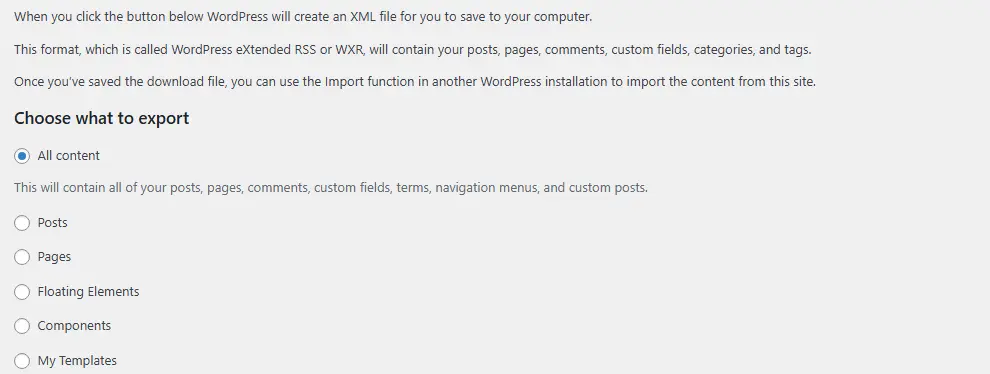
The process isn’t automatic — you’ll need to set up designs and features again — but your content transfers easily.
Common Beginner Mistakes to Avoid
Mistake #1: Choosing the WordPress.com for a Business
I see this constantly. Someone starts a business website on the free plan. Six months later, they need an online store. They discover they need the $45/month plan — or have to move everything.
Save yourself the headache. If you might ever grow, start with the self-hosted version.
Mistake #2: Thinking Both Versions Are the Same
The hosted version uses the same software, but it’s like saying “I drive a Ferrari” when you’re renting one with a speed limiter. You have the basics, but not the power.
Mistake #3: Ignoring Long-Term Costs
That free plan seems cheap. But if you need a custom domain ($4/month), features ($25/month), or eCommerce ($45/month), you’re paying more than self-hosted costs — with less control.
Mistake #4: Being Afraid of “Technical”
The self-hosted version sounds technical, but modern hosting makes it simple. Most companies offer one-click installation. You can be live in 15 minutes.
How to Start with Self-Hosted WordPress
If you’ve decided self-hosted is right for you, here’s your path:
Step 1: Choose a Domain Name
Your website address. Keep it short, memorable, and relevant.
Step 2: Select Web Hosting
Look for hosts offering:
-
One-click WordPress installation
-
Free SSL certificate
-
Good support
-
99.9% uptime guarantee
Recommended beginner hosts:
-
Bluehost — Officially recommended
-
SiteGround — Excellent support
-
Hostinger — Budget-friendly
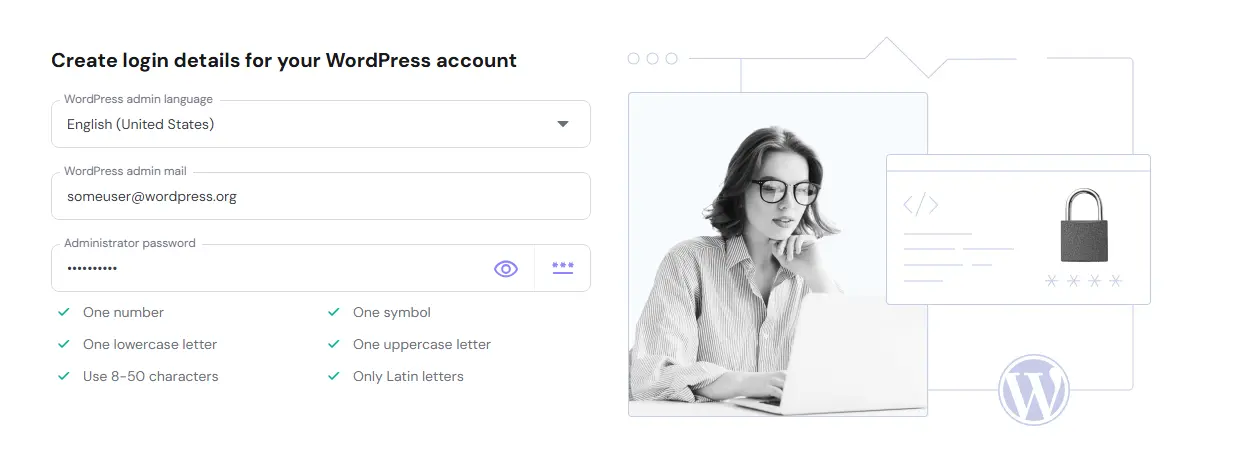
Step 3: Install WordPress
Most hosts do this automatically. If not, it’s one click.
Step 4: Log Into Your Dashboard
Visit yoursite.com/wp-admin and start building.
Quick Reference Card
Self-Hosted WordPress at a Glance
| PROS | CONS |
|---|---|
| Complete ownership and control | Requires separate hosting |
| Unlimited designs and features | You handle maintenance |
| Full monetization freedom | No official support |
| Lower long-term costs | |
| Can build anything |
Hosted WordPress at a Glance
| PROS | CONS |
|---|---|
| Easy to start | Limited control |
| No technical maintenance | Restricted designs/features |
| Official support on paid plans | Monetization limitations |
| Automatic backups and security | Higher long-term costs for full features |
Frequently Asked Questions
Q: Can I switch from hosted to self-hosted later?
A: Yes, you can export your content from the hosted version and import it into a self-hosted site. However, your design, features, and settings won’t transfer automatically. You’ll need to rebuild those aspects.
Q: Is self-hosted WordPress really free?
A: The software is completely free. You pay for domain name ($10-15/year) and hosting ($3-10/month). Think of it like buying a car — the car costs money, but the road is free to drive on.
Q: Which version is better for SEO?
A: The self-hosted version gives you more SEO power because you can install specialized SEO tools. The hosted version has basic SEO features, but advanced optimization requires the Business plan.
Q: Do I need to know coding for self-hosted WordPress?
A: No coding is required. You can build a complete site using designs and the block editor. Coding knowledge only helps with advanced customization.
Q: Is the WordPress.com safer from hackers?
A: The hosted version handles security completely, so it’s very safe. The self-hosted version requires you to handle security through updates, backups, and security tools. Both can be secure with proper practices.
Q: Can I sell products on the WordPress.com?
A: Only on the Commerce plan ($45/month). On self-hosted, eCommerce tools are free and you can use any payment method.
Summary: Your Decision Made Simple
Let’s end with a simple rule:
Choose the WordPress.org if you want to build something serious that you own completely.
Choose the WordPress.com if you want a simple, no-hassle site and don’t mind limitations.
Most professionals, businesses, and serious bloggers choose the self-hosted version. That’s why it powers 43% of the web. Major brands like TechCrunch, BBC America, and Sony Music use it.
In our next tutorial, I’ll show you exactly how to get self-hosted WordPress installed and running in under 15 minutes.
Next Tutorial: How to Install WordPress Step by Step
Previous Tutorial: What Is WordPress and How Does It Work?
Still unsure which version fits your situation? Drop a comment describing what you want to build, and I’ll help you decide!