






If you have ever seen errors like:
-
“Error writing file to disk”
-
“Permission denied”
-
“Failed to open stream”
-
“Error establishing a database connection”
There’s a high chance file permissions are involved.
WordPress file permissions are one of the most misunderstood areas in website security. Many website owners either ignore them completely or set everything to 777 thinking it will “fix” issues. In reality, wrong permissions can open your site to hacks, malware injections, and server abuse.
In this complete guide, you will learn:
-
What WordPress file permissions actually mean
-
The difference between 755, 644, and 600
-
Why 777 is dangerous
-
Correct permissions for every WordPress file and folder
-
How to change permissions safely
-
How permissions affect performance and security
-
Real-world troubleshooting fixes
If you manage your own hosting, this guide can save your site.
Let’s break this down properly.
What Are WordPress File Permissions?
WordPress runs on a server that uses a Linux-based file system in most cases. Every file and folder has permission rules that define:
-
Who can read it
-
Who can write to it
-
Who can execute it
These permissions are controlled using CHMOD values like:
-
755
-
644
-
600
If these are misconfigured:
-
WordPress cannot update plugins
-
Themes fail to install
-
Media uploads break
-
Hackers gain write access
This is not just a technical detail. It is a foundational security layer.
If you are serious about WordPress hardening, combine this with our guide on how to secure wp-config.php properly for stronger protection.
Understanding CHMOD: The Basics
File permissions are represented by three numbers:
Example:
Each number controls access for:
-
Owner
-
Group
-
Public
Each digit is calculated using:
-
4 = Read
-
2 = Write
-
1 = Execute
So:
-
7 = 4 + 2 + 1 = Read + Write + Execute
-
6 = 4 + 2 = Read + Write
-
5 = 4 + 1 = Read + Execute
-
4 = Read only
Now let’s decode the most common WordPress permissions.
What Does 755 Mean in WordPress?
755 is typically used for folders.
Breakdown:
-
Owner: Read, Write, Execute
-
Group: Read, Execute
-
Public: Read, Execute
In simple terms:
-
The server can manage the directory.
-
Others can access and read files inside it.
-
But they cannot modify it.
This is why WordPress directories like:
-
/wp-content/
-
/wp-admin/
-
/wp-includes/
Should usually be set to 755.
If directories are set to 644, WordPress may fail to upload files.
If directories are set to 777, your site becomes vulnerable.
What Does 644 Mean in WordPress?
644 is typically used for files.
Breakdown:
-
Owner: Read + Write
-
Group: Read
-
Public: Read
This means:
-
WordPress can modify the file.
-
Others can read it.
-
Nobody except owner can write to it.
Core files like:
-
index.php
-
wp-config.php (sometimes 600 or 640)
-
.htaccess
-
theme files
Should normally be 644.
This protects files from unauthorized modifications.
If you’re dealing with update errors, see WordPress showing old content after updates guide.
What Does 600 Mean?
600 is stricter.
Breakdown:
-
Owner: Read + Write
-
Group: No access
-
Public: No access
This is ideal for highly sensitive files.
For example:
Setting wp-config.php to 600 adds an extra security layer because it contains:
-
Database name
-
Database username
-
Database password
-
Authentication salts
For a complete hardening strategy, read our detailed guide on how to secure WordPress without security plugins.
Recommended WordPress File Permissions
| Item | Recommended Permission | Why It’s Recommended |
|---|---|---|
| WordPress Directories | 755 | Allows the server to manage folders while preventing public write access. |
| WordPress Files | 644 | Permits WordPress to modify files while blocking unauthorized changes. |
| wp-config.php | 600 or 640 | Protects database credentials and authentication salts from public access. |
| Never Use | 777 | Grants full read, write, and execute access to everyone, creating serious security risks. |
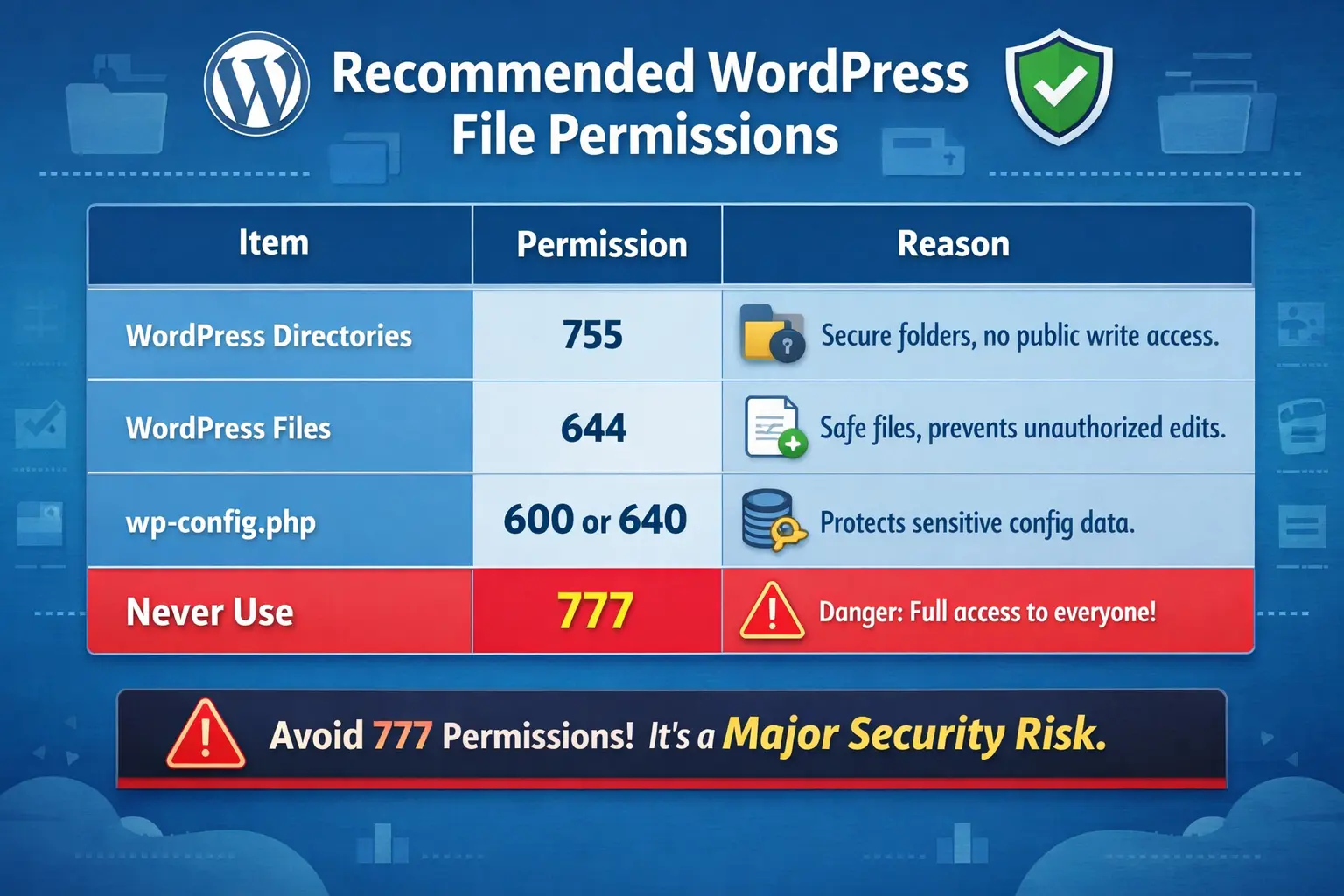
Bookmark or screenshot this infographic for quick reference when configuring your WordPress site.
Here is the safe configuration for most hosting environments:
Directories:
Files:
wp-config.php:
Never use:
Why 777 Is Dangerous
777 gives:
-
Read
-
Write
-
Execute
To everyone.
That means:
-
Any script can modify your files.
-
Malware injections become easy.
-
Attackers can upload backdoors.
If your hosting provider asks you to use 777 to “fix” something, that is a red flag.
Many hacked sites we clean had 777 permissions enabled.
If your site has been compromised, follow our step-by-step guide on how to clean a hacked WordPress site without losing SEO.
How to Check WordPress File Permissions
You can check permissions using:
-
cPanel File Manager
-
FTP (FileZilla)
-
SSH
In SSH:
You will see something like:
That translates to 755.
For files:
That translates to 644.
How to Change Permissions Safely
Using SSH:
Change directory permissions:
Change file permissions:
Make wp-config more secure:
Using FTP:
Right-click → File Permissions → Enter numeric value.
Do not randomly apply recursive changes without understanding.
Common WordPress Errors Caused by Wrong Permissions
Error Writing File to Disk
Usually caused by:
-
The uploads folder not being set to 755
See the complete step-by-step fix in our guide on how to fix the “Error Writing File to Disk” in WordPress.
Error Establishing Database Connection
This can sometimes happen if:
-
wp-config.phpis unreadable due to incorrect permissions.
Follow our detailed tutorial on fixing the “Error Establishing a Database Connection” in WordPress.
White Screen of Death
If PHP cannot read critical WordPress files because of wrong permissions, it may trigger a blank screen.
Use our guide on how to fix the WordPress White Screen of Death for a complete recovery process.
500 Internal Server Error
Incorrect .htaccess file permissions can lead to server-level failures.
Here’s the full solution for fixing the 500 Internal Server Error in WordPress.
File Permissions and Overall Security Strategy
File permissions are just one layer of protection.
For complete WordPress hardening, combine them with:
Security is not a single fix.
It is a layered system.
When Shared Hosting Changes Permissions Automatically
Some hosts run PHP as CGI or suPHP.
In such cases:
-
755 might be too open
-
750 or 640 may be required
Always confirm with hosting documentation.
If unsure, do not experiment on a live store.
Should You Change Permissions Recursively?
Sometimes you may see commands like:
These apply permissions to all directories and files.
Only use if you understand what you’re doing.
Otherwise, contact support.
File Permissions and Performance
Permissions do not directly improve speed.
But misconfigured permissions can:
-
Break caching
-
Prevent cron jobs
-
Block plugin updates
-
Cause database corruption
For deeper performance optimization, read our complete WordPress speed optimization guide
WordPress File Ownership vs Permissions
Permissions are not the same as ownership.
If ownership is wrong, even 755 may fail.
Ownership is controlled via:
Example:
Improper ownership causes:
-
Plugin installation failures
-
Theme update issues
-
Media upload errors
When to Call an Expert
If you see repeated:
-
Permission denied
-
Unable to create directory
-
Failed to open stream
And you are not comfortable using SSH, you should not guess.
Improper server changes can break your entire site.
Get professional assistance here:
We handle:
-
Server-level fixes
-
Permission hardening
-
Malware cleanup
-
Emergency downtime recovery
FAQs
What are the correct WordPress file permissions?
Directories should be 755 and files should be 644. Sensitive files like wp-config.php can be set to 600 or 640 for better security.
Is 777 safe for WordPress?
No. 777 allows anyone to read, write, and execute files. It makes your site highly vulnerable to attacks and malware injections.
What permission should wp-config.php have?
600 or 640 is recommended. It prevents unauthorized users from reading your database credentials.
Can wrong file permissions cause 500 errors?
Yes. If PHP cannot read or execute files properly, it may trigger 500 Internal Server Errors.
Do file permissions affect SEO?
Indirectly. If permissions cause downtime, broken pages, or hacked content, it can negatively impact rankings.



